What You’ll Learn
- How information sensitivity should shape tool choice
- What to check before using or connecting an AI service
- How to sanitize a practice prompt
- Why human responsibility continues after the tool responds
Useful Does Not Automatically Mean Safe
AI can help you explain, organize, brainstorm, summarize, and draft. But every prompt begins with a decision: what information are you willing and authorized to share with that service?
When you type text, upload a file, add an image, or connect another service, the AI may be able to process that information. How it is stored, retained, reviewed, or used depends on the provider, the product, your account type, and your settings.
The safest default
If you are not authorized to share information with an external service, do not enter it into an AI tool.
Start With the Information, Not the Tool
Before opening an AI assistant, place the information into one of three practical categories.
1. Public information
Information already intended for anyone to see, such as a public webpage, published report, or fictional example. This is usually the lowest-risk material to use.
2. Personal or identifying information
Names, addresses, photographs, account numbers, health details, financial information, employment records, private messages, or anything that could identify a person. Remove or replace these details before using AI whenever possible.
3. Confidential or protected information
Non-public workplace material, client information, legal documents, internal investigations, passwords, security details, or regulated records. Do not use this material unless the organization has explicitly approved both the tool and the specific use.
Calling something “anonymous” is not enough if the remaining details could still reveal who or what it is about. Dates, job titles, locations, unusual events, and combinations of facts can identify someone even after their name is removed.
Choose a Tool Based on Risk
A useful tool choice depends on the task and the consequences—not on the brand name.
Free and workplace versions may differ
A provider may offer different privacy, retention, administrative, and training controls across free, paid, education, and enterprise accounts. Never assume that one version's protections apply to another. Check the version you are actually using.
What to Check Before Using an AI Tool
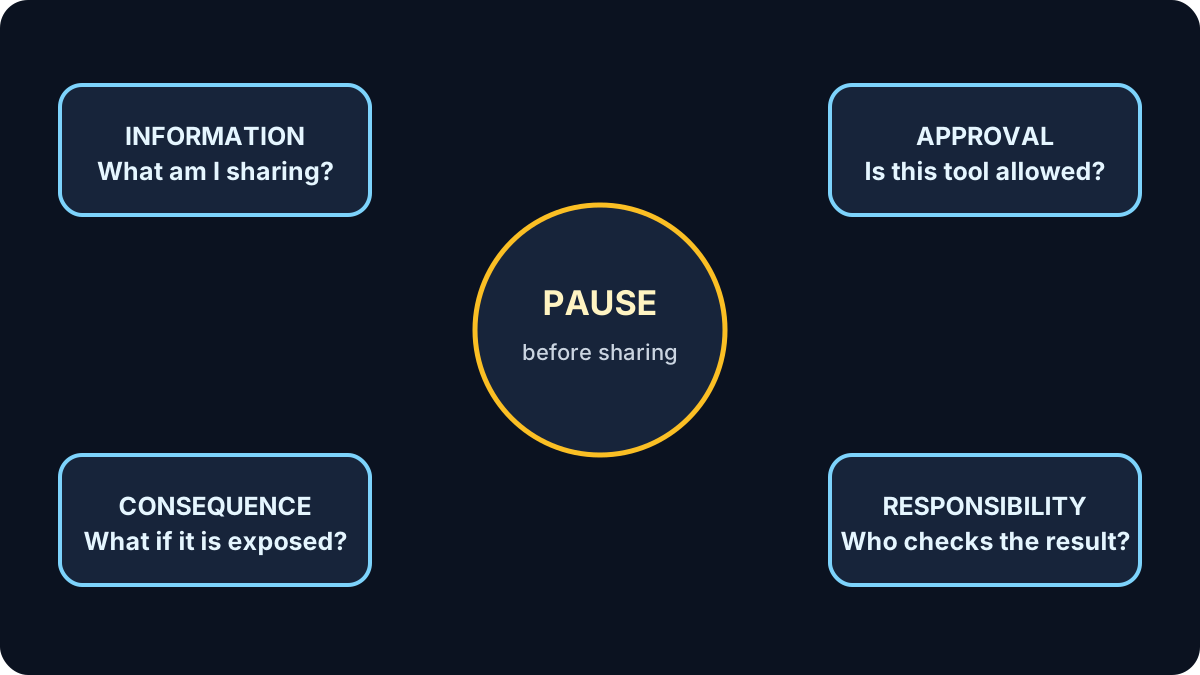
- Approval: Is this tool permitted for this task, especially at work?
- Data use: Can conversations or uploads be used to improve or train the service?
- Retention: How long is the information kept, and can you delete it?
- Access: Who can see conversations, shared links, connected files, or account history?
- Connections: Does the tool have access to email, cloud storage, calendars, or other services?
- Human review: Who will verify the result and remain accountable for the final decision?
A privacy setting is not permission
Turning off training or using a temporary conversation may reduce some exposure, but it does not make an unapproved use acceptable. An approved tool is not automatically approved for every kind of information. Workplace policy, consent, legal duties, and professional obligations still apply.
Responsible Use Goes Beyond Privacy
Protecting information is essential, but responsible use also means taking responsibility for what the AI produces.
- Verify important claims. Check dates, names, quotations, calculations, and requirements against trusted sources.
- Look for unfair assumptions. AI can repeat stereotypes or overlook people whose experiences were poorly represented in its training data.
- Keep a person accountable. AI can support a decision, but it should not quietly become the decision-maker.
- Be honest about meaningful AI assistance. Disclose its use when your workplace, school, client, audience, or process requires it.
- Respect other people's work. Review copyright, ownership, attribution, and licensing requirements before publishing AI-assisted material.
- Allow people to question the result. Anyone affected by an important decision should have a clear route to human review.
Try It: Remove, Replace, Then Ask
Start with this fictional note:
Jordan Lee, client number 48291, missed an appointment on September 8 and asked for help understanding the new online booking instructions.
Before using AI:
- Remove the name, client number, and exact appointment date.
- Replace them with neutral descriptions such as [CLIENT] and [DATE].
- Keep only the information needed for the task.
- Ask the AI to explain the fictional booking instructions without inventing missing details.
- Compare the answer with the official instructions.
The sanitized version might say:
A client missed an appointment and needs a plain-language explanation of these fictional online booking instructions. Do not invent missing details. List anything that should be checked with the service provider.
The goal is not to hide sensitive details after sharing them. The goal is to avoid sharing details the task never needed.
Quick Knowledge Check
1. Does turning off model training make every use acceptable?
Answer
No. Approval, purpose, consent and other obligations still apply.
2. What is the safest information for practice?
Answer
Fictional, public or properly sanitized information.
3. Who remains accountable for an AI-assisted decision?
Answer
The responsible person or organization—not the AI system.
The Five-Question Privacy Pause
- Am I allowed to use this tool for this task?
- Can I remove names, identifiers, or confidential details?
- What could happen if this information or answer were exposed?
- How will I verify the result?
- Who remains responsible for the final action or decision?
Remember this
Use the least sensitive information, in an appropriate tool, for a clearly defined purpose—and keep human judgment involved.
You finished AI Fundamentals
You now have a practical foundation for prompting, verification, privacy and responsible human oversight.
Review the AI Fundamentals path →