What You’ll Learn
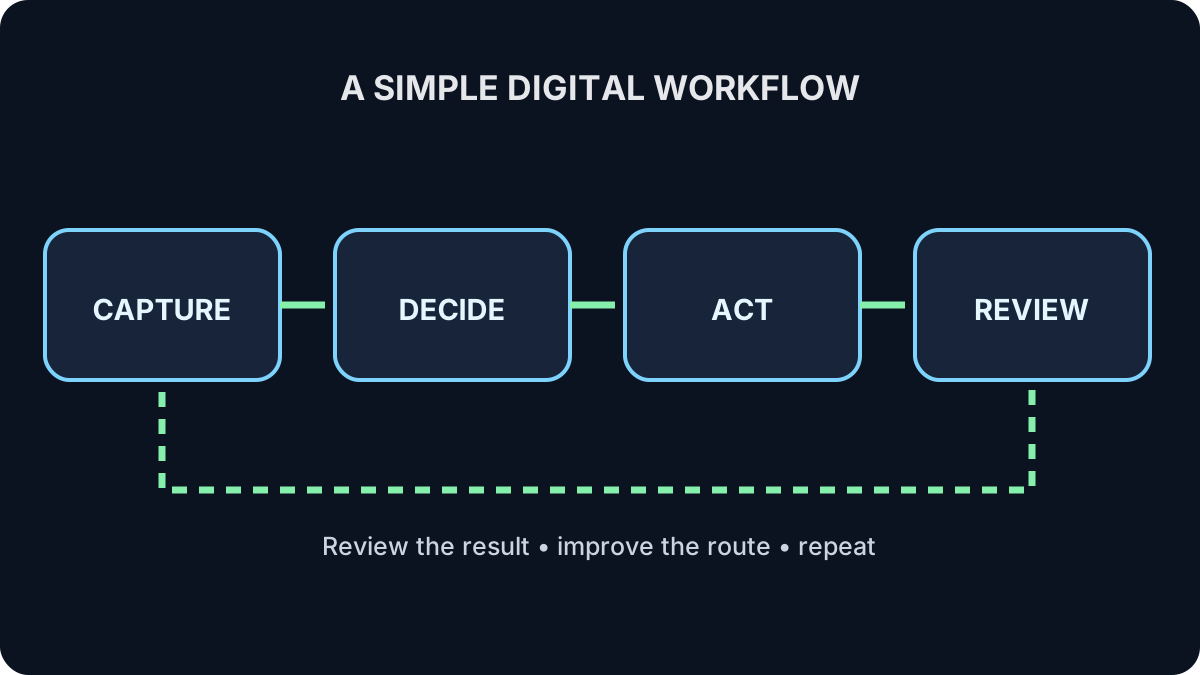
- How to map capture, decision, action and review
- How to find duplication and unclear ownership
- How to choose the simplest suitable tool
- When automation or AI should—and should not—be added
Make the Work Visible First
Begin with the current process, including awkward manual steps. Identify where work arrives, who decides what happens, where the action occurs and how completion is confirmed.
Improve before automating
Automation makes a clear process faster. It can also make a confused process fail faster. Remove unnecessary steps and clarify ownership first.
Choose Tools After the Process
Use AI only where the information and consequence allow it
AI may help draft or classify low-risk material, but do not send confidential information to an unapproved tool or let AI make high-stakes final decisions.
Try It: Map a Fictional Request
A community group receives workshop requests by email. Map four steps and name one improvement.
Show one sensible answer
Capture: copy approved request details into one tracker. Decide: coordinator checks eligibility and capacity. Act: schedule or decline. Review: send confirmation and record status. Improvement: use a simple approved form to reduce missing information.
Quick Knowledge Check
What comes before automation?
Answer
Understanding and simplifying the actual process.
What makes a workflow trustworthy?
Answer
Clear inputs, decisions, ownership, permissions, exceptions and confirmation of completion.
What to Remember
- Map the real process before choosing tools.
- Clarify who decides and who acts.
- Remove duplication before automating.
- Use the simplest tool that safely meets the need.
- Review whether the workflow still works.
You finished Digital Productivity
You now have a practical system for files, email, planning and repeatable work.
Review the Digital Productivity path →