What You’ll Learn
- What cloud computing means in everyday language
- The difference between local storage, cloud storage and syncing
- How your device reaches a cloud service
- Which security responsibilities remain yours
The Cloud Is Someone Else’s Equipment
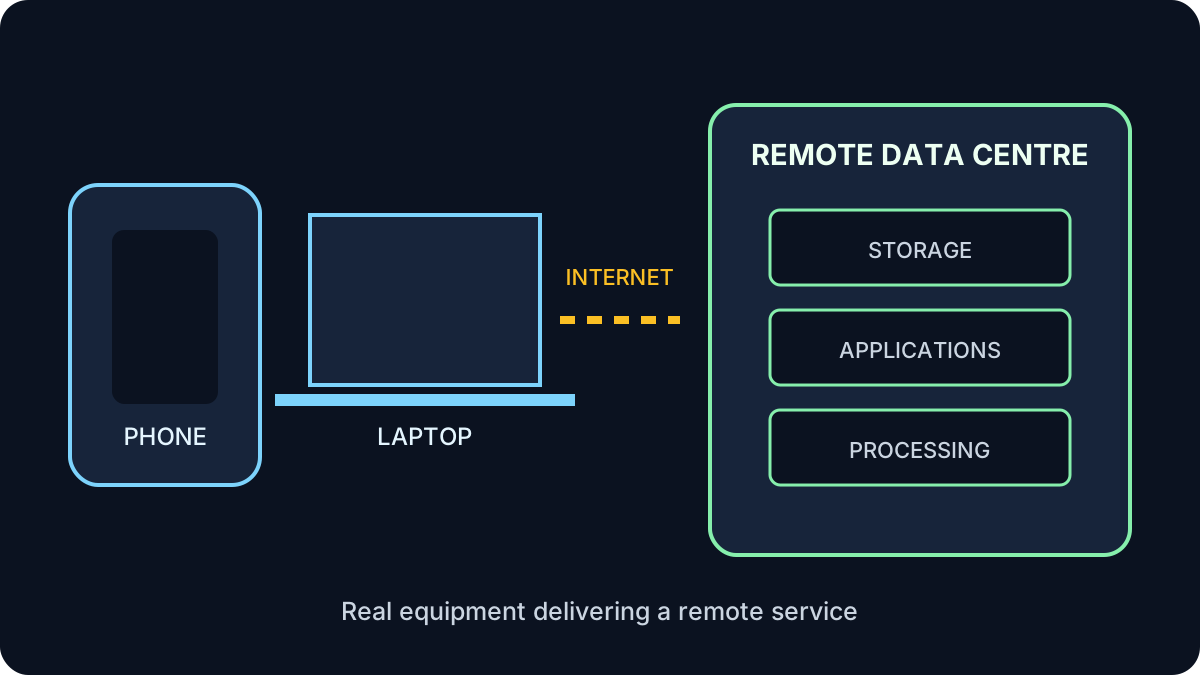
Cloud computing means using storage, software or processing provided from remote computers instead of relying only on your own device. Those remote computers are physical servers in managed data centres.
Think of electricity as a service
You use power when you need it without owning a power station. With cloud computing, you use computing resources without buying and maintaining all the equipment providing them.
Local, Cloud and Synced
What Happens When You Open a Cloud File?
- Your device connects to the internet.
- The service checks your account, password and any additional sign-in step.
- The application requests the selected file or information.
- The service checks whether your account has permission.
- The authorized content travels to your browser or application.
- Your changes may be saved remotely and synchronized to other devices.
The exact process differs by service, but identity, permission and a network connection are central.
Common Cloud Services
- Storage: Google Drive, Microsoft OneDrive, Dropbox and iCloud
- Applications: browser-based email, document editing and video meetings
- Streaming: music and video delivered when requested
- Hosting: websites and business systems running on rented infrastructure
- Processing: remote systems doing demanding work, including some AI services
The benefit is access—not magic
Cloud services can make sharing, collaboration, scaling and recovery easier. They still depend on hardware, software, networks, good design and responsible management.
Common Points of Confusion
Is the cloud the same as the internet?
No. The internet is the network carrying information. A cloud service is one of the services you reach through that network.
Does cloud storage mean a file is public?
No. A file can be private, shared with selected people or public. Its sharing settings determine who can access it.
Does sync protect me from every mistake?
No. Sync may copy an accidental deletion or unwanted change. Check whether the service provides version history, a recycle bin and a separate backup option.
Your Part of Cloud Security
The provider protects its facilities and service, but you still control important parts of the account.
Four checks before storing or sharing
- Use a unique password and multi-factor authentication.
- Confirm the correct account and sharing audience.
- Avoid uploading sensitive information unless the service and purpose are approved.
- Remove access when it is no longer needed.
Try It: Trace One Cloud Action
Choose a familiar service such as webmail or cloud photo storage. Identify:
- The device you use
- The application or browser
- The internet connection
- The remote service
- The account or permission controlling access
Show an example
For webmail: your laptop is the hardware; Chrome is the browser; Wi-Fi connects to the internet; the email provider runs the remote service; your signed-in account controls which mailbox you can see.
Quick Knowledge Check
1. Does “cloud” mean information has no physical location?
Answer
No. Cloud information is stored and processed on physical equipment in data centres.
2. Are syncing and backup identical?
Answer
No. Sync keeps locations aligned; a backup is a separate recoverable copy.
3. Who controls a cloud file’s sharing audience?
Answer
The account owner or authorized manager controls sharing settings, subject to the service and organization’s rules.
What to Remember
- Cloud services use remote physical equipment.
- The internet connects your device to the service.
- Local, cloud, synced and backed-up copies are not the same.
- Sharing settings—not the word “cloud”—determine who can access a file.
- You remain responsible for account security and careful sharing.
Next: How APIs Connect Services
Learn how one application safely asks another service for information or an action.
Continue to Lesson 5 →