What You’ll Learn
- What files and databases are
- How their purposes differ
- Why many services use both
- How to choose the better fit for a simple task
Two Ways to Keep Information
A file is a named package of information, such as a document, photograph, spreadsheet or video. You usually open and work with one file at a time.
A database stores information in a consistent structure. It is designed to find, sort, connect and update many records efficiently.
Think of recipes
A recipe saved as a PDF is a file. A recipe app that lets you filter hundreds of recipes by ingredient, cooking time and rating uses a database. The app may still store recipe photographs as files.
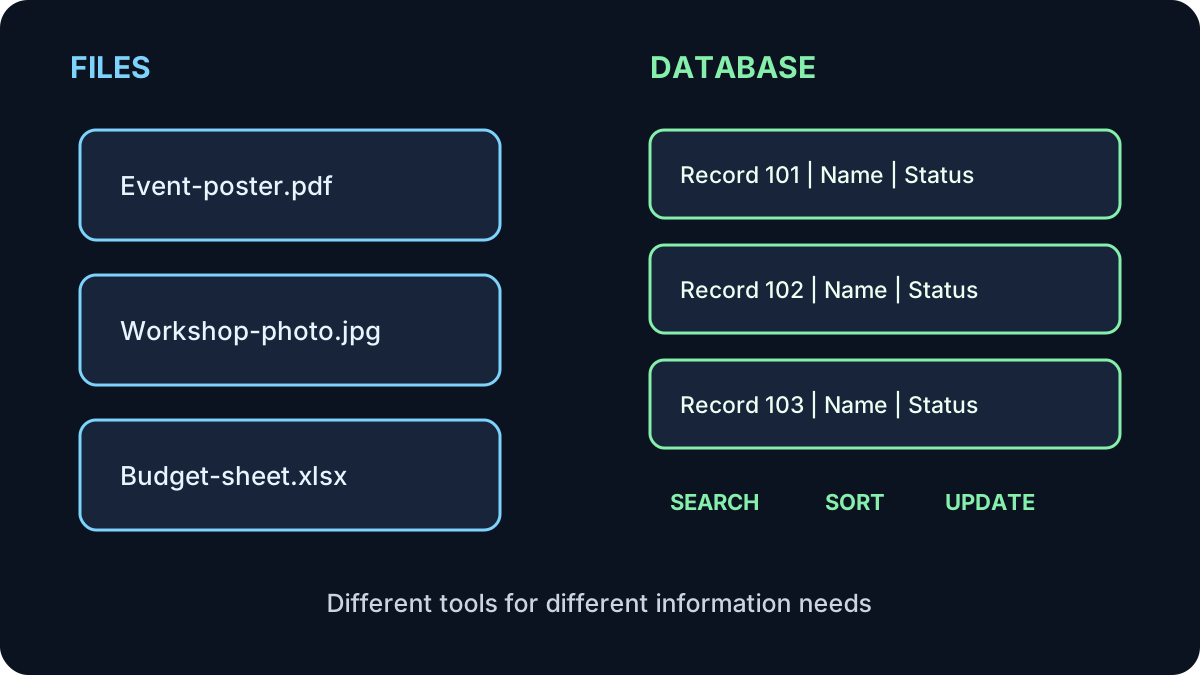
How They Compare
What Is Inside?
A file has a name, type and contents
The ending of a filename often identifies its format: .pdf, .jpg, .docx or .xlsx. The application opening the file must understand that format.
A database has records and fields
Each record represents one thing, such as one learner. Its fields hold consistent details, such as name, email address and registration status. That consistency makes useful questions possible.
A spreadsheet can sit in the middle
A spreadsheet is a file, but a well-structured table can behave like a small database. It becomes harder to manage when many people edit it, information is duplicated, or strict access controls and relationships are needed.
Why the Difference Matters
- Finding: a clear filename helps you find a file; database filters can find matching records.
- Updating: a file may create several versions; a database can update one shared record.
- Sharing: a whole file is often shared; a database can show only selected information.
- Protecting: both need access controls, but databases can apply permissions to particular roles or records.
Do not use real personal information for practice
Use made-up names and details in learning activities. A database can combine many small facts into a sensitive picture, so collect only what is genuinely needed.
Try It: Choose the Better Fit
Choose file, database, or both for each situation.
- A poster for a community event
- A library catalogue searched by title, author and topic
- A staff directory where every profile includes a photograph
- A recording of one online workshop
Show the answers
File: the poster and workshop recording.
Database: the searchable library catalogue.
Both: the staff directory can keep profile details in a database and photographs as linked files.
Quick Knowledge Check
1. What makes a database useful for repeated searches?
Answer
Consistent records and fields. They allow information to be filtered, sorted and compared.
2. Is a spreadsheet always a database?
Answer
No. It is a file. A structured spreadsheet can perform some database-like work, but it has limits.
3. Must an application choose only files or only a database?
Answer
No. Many applications use a database for structured details and files for documents, images or recordings.
What to Remember
- A file keeps one self-contained item or collection together.
- A database organizes many related records.
- Databases are designed for consistent searching, sorting and updating.
- Many useful systems combine databases and files.
- Use made-up information while practising.
Next: Understanding Databases
Look inside a database to see how records, fields and questions turn stored information into useful results.
Continue to Lesson 3 →