What You’ll Learn
- What hardware and software mean in everyday language
- How they depend on each other
- How to sort familiar technology into useful categories
- How the difference can help when something goes wrong
Two Parts of One Working System
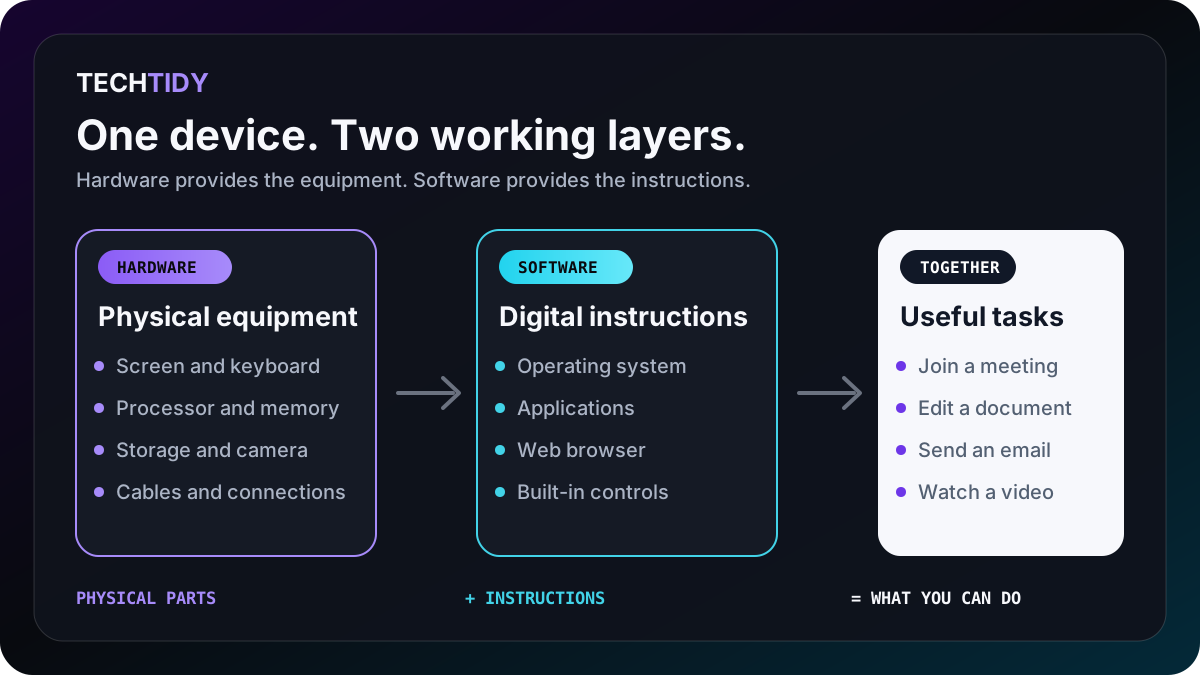
Hardware is the physical equipment. If you can touch it, plug it in, carry it, or replace it, it is probably hardware.
Software is the set of instructions that runs on the equipment. It tells the hardware how to perform a task.
Think of a music player
The phone and its speaker are hardware. The music app is software. The song file is information the software reads. You need all three, but they are not the same thing.
What Counts as Hardware?
Hardware includes the parts you see and the components hidden inside a device.
A laptop, phone, tablet, smart television and printer are all hardware. Each is a physical device that contains other hardware components.
What Counts as Software?
Software cannot do anything by itself. It must run on hardware, but it determines what that hardware can help you accomplish.
A useful shortcut
Hardware is the equipment. Software is the instructions. A file—such as a photograph or document—is information that software can open, change and save.
How They Work Together
Imagine typing a sentence into a document:
- You press a physical key on the keyboard.
- The operating system recognizes the key.
- The word-processing application places the letter in your document.
- The physical screen displays it.
- When you save, the file is written to physical storage in your device or to hardware in a remote data centre.
This happens quickly, so it feels like one action. In reality, several pieces of hardware and software cooperate every time you press a key.
Common Points of Confusion
Is “the cloud” hardware or software?
A cloud service feels like software because you use an app or website. Behind it are physical servers, storage devices and networking equipment in data centres. Cloud services depend on both.
Is a website software?
A website is digital content delivered through software. Your browser interprets its code and displays it using your device’s hardware.
Is a file software?
Usually, no. A photograph, document or video is data. Software is what lets you create, open or change that data.
What about something with software built inside it?
Many physical products contain built-in software. A smart television is hardware, for example, while its menus and streaming applications are software.
Try It: Sort the Technology
Before looking at the answers, decide whether each example is hardware, software, or data.
- A wireless mouse
- Microsoft Word
- A photograph saved on your phone
- A laptop screen
- Google Chrome
- A PDF document
- A home Wi-Fi router
- Android
Show the answers
Hardware: wireless mouse, laptop screen and Wi-Fi router.
Software: Microsoft Word, Google Chrome and Android.
Data: the photograph and PDF document.
Why the Difference Helps With Troubleshooting
You do not need to diagnose every problem yourself. Knowing which area is affected simply helps you describe the problem and choose a sensible first step.
Change one thing at a time
Check the connection, note any visible error, restart the affected application, and then restart the device if appropriate. Avoid changing several settings at once because that makes the cause harder to identify.
Quick Knowledge Check
1. Which example is software?
A printer, a web browser, or a USB drive?
Answer
A web browser. It is an application that runs on hardware.
2. Can hardware be useful without software?
Answer
Usually not. Software provides the instructions that make most digital hardware useful.
3. Your video-call application opens, but it cannot use the camera. Is the camera definitely broken?
Answer
No. The hardware may be working, while the application lacks permission or has the wrong software setting.
What to Remember
- Hardware is the physical equipment.
- Software is the instructions that run on the equipment.
- Data is the information that software creates, opens or changes.
- Most technology experiences depend on hardware and software working together.
- Understanding the difference helps you explain problems more clearly.
Next: Files vs. Databases
Learn how individual files differ from organized databases—and why useful digital services often need both.
Continue to Lesson 2 →