What You’ll Learn
- How to choose a small set of useful top-level folders
- How consistent names improve searching and sorting
- When to archive rather than delete
- How to avoid duplicate “final” versions
Organize Around How You Look for Things
Start with broad categories you already understand: Personal, Work, Learning or a specific project. Add a subfolder only when it solves a real finding problem.
Fewer decisions means less clutter
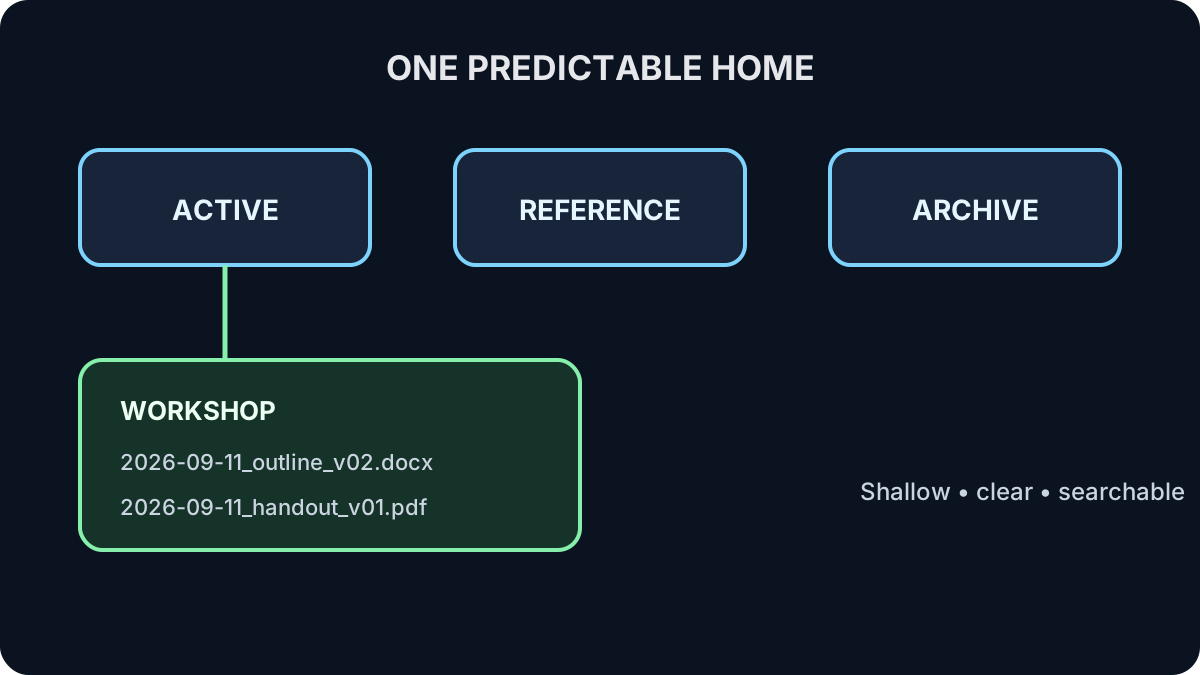
If every file could belong in five places, the system is too complicated. Choose one main home and use search when needed.
Use Names That Sort and Explain
A practical pattern is YYYY-MM-DD_topic_version, for example 2026-09-11_workshop-outline_v02.docx. Dates sort correctly, the topic is visible and the version is deliberate.
Try It: Design a Tiny Folder System
On paper or in a blank practice location, organize these fictional items: current workshop outline, reusable logo, last year’s workshop outline, current participant handout.
Show one sensible answer
Active/Workshop: current outline and handout. Reference/Brand: reusable logo. Archive/2025: last year’s outline.
Quick Knowledge Check
Should every topic get several nested folders?
Answer
No. Add structure only when it makes finding and maintaining files easier.
Why place the date first?
Answer
A year-month-day date sorts chronologically in ordinary filename order.
What to Remember
- Use a small, predictable structure.
- Give each working file one main home.
- Name files so people can identify and sort them.
- Archive deliberately and delete only with authority.
Next: Tame Your Email
Turn the inbox from a storage pile into a place for making simple decisions.
Continue to Lesson 2 →