What You’ll Learn
- How to make one decision about each useful message
- Why folders should stay simple
- When an email belongs in a task list or calendar
- How to reduce avoidable interruption
Four Choices Are Enough
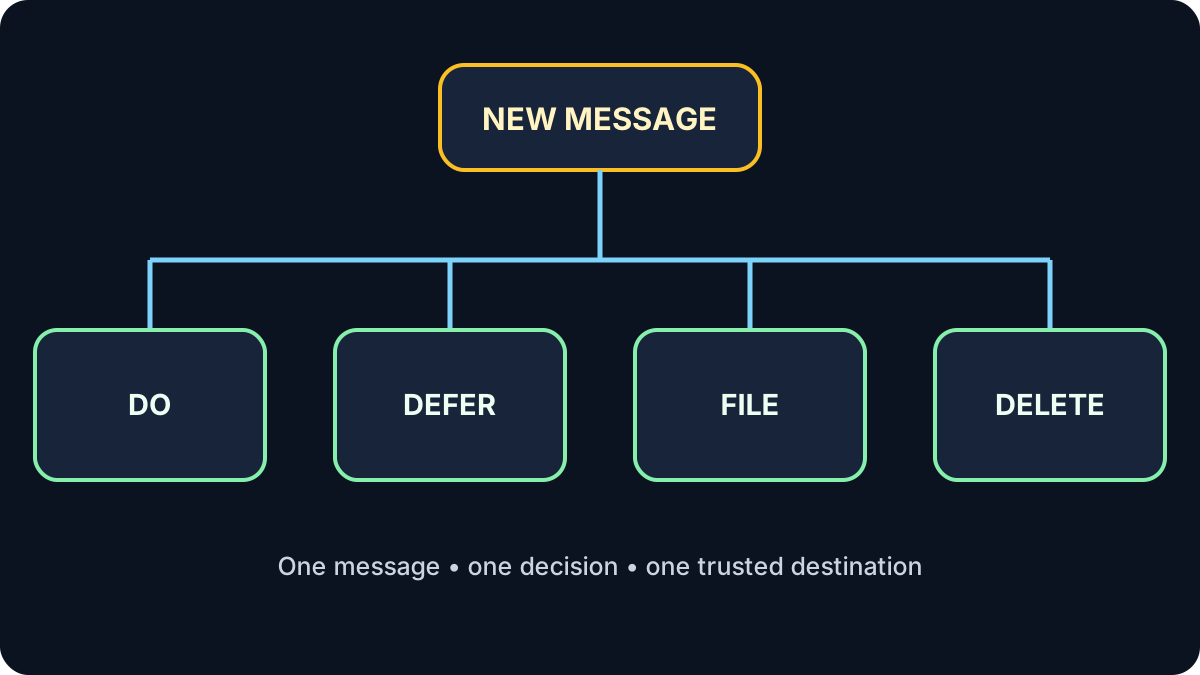
When you intentionally review email, choose one action: do a quick task, defer it to a trusted task or calendar system, file useful reference material, or delete what you do not need.
Do not use email folders to hide work
If a message requires action later, put the action in a task list or calendar. A folder is useful for reference, not as an invisible reminder system.
Reduce the Flow Before Organizing It
- Unsubscribe from mail you no longer want.
- Turn off low-value notifications at their source.
- Use a small number of labels or folders.
- Search by sender, subject or date instead of filing everything deeply.
- Check email at deliberate times when your role allows it.
Inbox zero is optional. The goal is knowing that important work has a trusted next step.
Try It: Make Four Decisions
Sort these fictional messages: a meeting tomorrow requiring preparation; a receipt to retain; a newsletter you never read; a two-line question you can answer now.
Show one sensible answer
Defer: preparation task and calendar time. File: receipt. Delete/unsubscribe: newsletter. Do: short reply.
Quick Knowledge Check
Is the inbox the best place to track a future deadline?
Answer
No. Move the action and date to a task list or calendar.
Must a useful email stay in the inbox?
Answer
No. Once its action is captured, file or archive it according to your needs and retention rules.
What to Remember
- Email delivers information; it should not control your attention.
- Choose do, defer, file or delete.
- Track future work outside the inbox.
- Reduce unnecessary messages before creating more folders.
Next: Calendar and Tasks
Put time-specific commitments and flexible work in the right place.
Continue to Lesson 3 →